
form.suite4.net projects can be exported as a Visual Studio .NET project in the language of your choice (currently C# and Visual Basic .NET are supported). Additionally, you have the option of converting the Windows Forms project into an ASP.NET Web Forms project if this should be required.
The export is performed in the Form Manager. Choose . The "Export as Visual Studio Project" dialog appears.
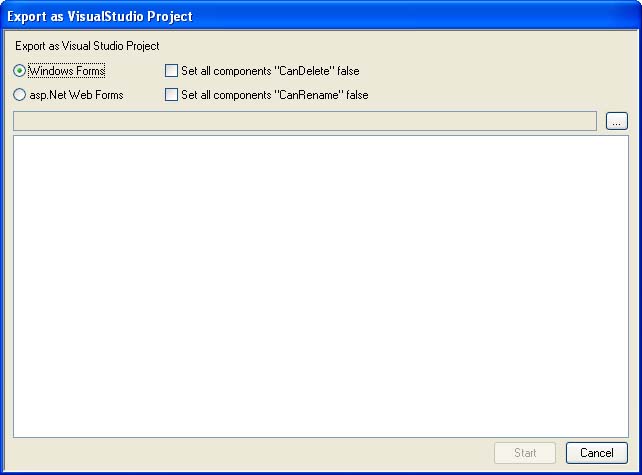
In addition to selecting the directory where you want the project files to be stored (using the button marked with 1 above) you have to make two choices in regards to the consistency of the both the form.suite4.net project and the Visual Studio project:
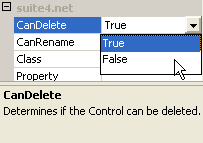 All form.suite4.net components have a
 CanDelete property which can be found in the Property Grid when the control is selected in the Form Design Area. Using this property you can prevent deletion of the control within a form. The export engine sets CanDelete to false for all components by default, i.e. accidental deletion of a component which has previously been exported will be impossible. This way, you can keep the exported code and the form.suite4.net project consistent with each other. If you activate the checkbox (2) in the "Export as Visual Studio" dialog, however, no changes will be made to the CanDelete settings.CanRename property of the exported controls. By default, controls can not be renamed after they have been exported, but activating the checkbox overrides this behavior. After you click on the "Start" button in the "Export as Visual Studio Project" dialog, the form.suite4.net project will be exported to the directory you specified earlier. Progress is displayed in the dialog while the files are being written.
The export engine creates a separate directory for each Group you have specified in the Project Explorer and organizes the generated code in namespaces corresponding to the Groups' names. After the export is finished you can view the generated files in Visual Studio .NET and add behavior to the form and controls you have created.
Note: combined with the import function, exporting a form.suite4.net project as a Visual Studio project is a powerful method of converting a layout project between .NET languages: import a C# project form Visual Studio .NET into form.suite4.net, set the project language to VB.NET and export it using the procedure described above -- all the imported files will be converted to VB.NET.
Please be aware that the import only considers the layout elements of a VS.NET project. Behavior will not be imported and will thus not be available in the exported project either.
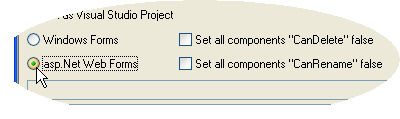 If you select the "ASP.NET Web Forms" option in the "Export as Visual Studio Project" dialog, the existing Windows Forms project will be converted to ASP.NET. Here is what happens during the conversion process:
System.Web.UI.* namespaces. Currently form.suite4.net only supports the conversion of basic controls, such as TextBox, RadioButton, GroupBox, TabControl and the like. Complex controls such as the TreeView will not be converted. <asp:Table id="Table1" [...]); otherwise simple HTML tags will be used.Once the files have been written to the designated output directory, you can either import them into an existing ASP.NET project or create a new one using Internet Information Services (IIS) manager or Visual Studio .NET. Compile them, preview the output in the browser and make any necessary changes and extensions as you see fit.